2008-03-30
You should know that Photoshop isn’t the one and only graphics editor. There are many alternatives, whereof some are better for simulating real painting or fast sketching than others. And some of them are even for free. This is a compilation of the 11 most important applications for digital painting.
Photoshop is still the master of all graphics editiors. It got a massive amount of functions and you can do nearly everything with it, making it the industry standard for graphics professionals.
Who wants to go professional won’t get by Photoshop. But being one of the most powerful tools it’s also one of the most expensive.
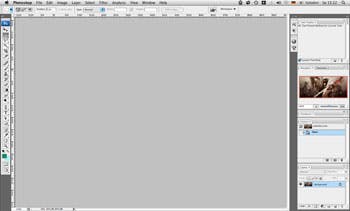
Paint Shop Pro is pretty much like Photoshop, but with less functions for a smaller price.
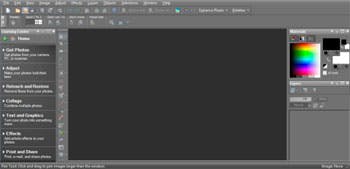
Unlike Photoshop, Painter is an application mainly for digital painting, designed specifically for the use with graphics tablets. It’s primarily intended for digital painting (and less for image editing).
Painter can simulate real brushes much better than Photoshop, making the pictures look more naturally. However some people think the brushes are a bit harder to control making it more difficult at first to achieve what you want. Thought with some practice the brushes can be handled and than it will be a lot of fun painting with Painter.
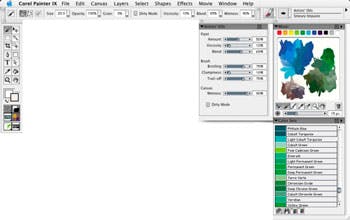
Like Corel Painter, SketchBook Pro is designed specifically for being used with a graphics tablet. It has less functions and focuses even more on the simulation of pencils making it more appropriate for drawing and sketching than it is for painting.
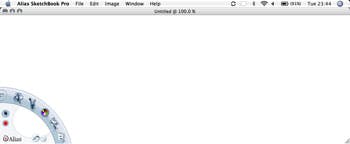
OpenCanvas is a tiny program with some great functions. Like SketchBook Pro it was designed specifically for sketching. The most significant feature of openCanvas is the ability to record what you are painting and play-back your painting-process.
Up until Version 1.1 openCanvas was Freeware and also included network support allowing you to paint over the internet with your friends on the same Canvas.
Later Versions are only Shareware.
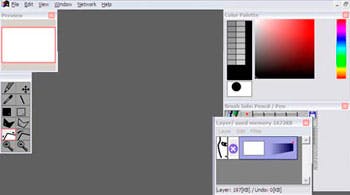
ArtRage is available as well as a free Starter Edition and as a Full Version with more features which must be payed. It’s also bundled with some graphics tablets.
Like SketchBook Pro it’s a smaller program, focusing on digital painting by simulating real brushes and pens.
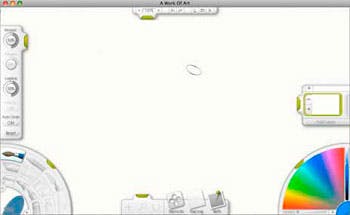
The “GNU Image Manipulation Program” is a graphics editor, pretty much like Photoshop. It’s a bit more powerless than Photoshop but it’s completely for free and for this reason a good alternative.
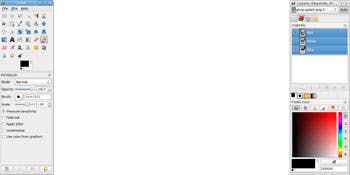
Artweaver can be compared to ArtRage or SketchBook Pro. Like ArtRage it is also for free.
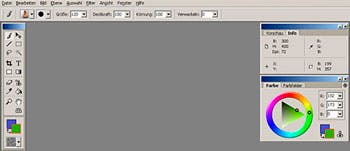
Deep Paint combines the look of Photoshop with the functions of Painter. In Addition it can be integrated into Photoshop.
The development of Deep Paint has been stopped, but it’s Freeware.
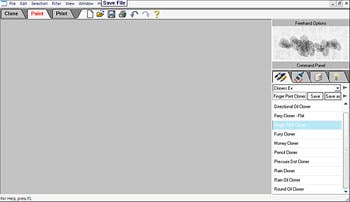
Even if there was no update since 2004 of the free Version of this program, this Corel-Painter-Clone still is worth a look.
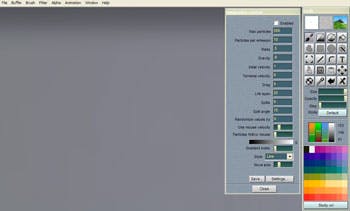
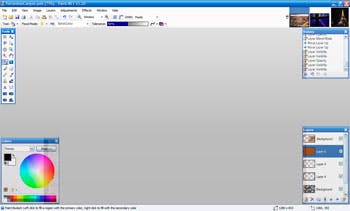
Paint.NET is the powerful cousin of Microsoft Paint. It’s mainly for image editing and not that well suited for digital painting. But it’s for free.
My name ist Marcus Blättermann.
I’m majoring in communication design and work as a freelancer for illustration, print- & webdesign. If you like my work you can .
Don’t forget to subscribe to my RSS-Feed and follow me on Twitter. You should also check out my Portfolio.
baracuda68
April 19, 2008
3:37 pm
What? No OpenOffice Draw?
essenmitsosse
April 19, 2008
4:05 pm
OpenOffice is a vector graphics editor making it inappropriate for digital painting.
Kimmo
September 19, 2008
7:56 am
What about SUMO Paint? It seems to be missing from that list… Try out at http://www.sumopaint.com
daryl wise
February 1, 2010
10:48 pm
I am contacting you about the recent release of the powerful, inexpensive and easy to use, paint and drawing software, ArtRage Studio and Studio Pro.
Let me know if I can send you a review copy of either or both.
ArtRage is available in English, French, German and Dutch Languages. The manual is in English.
All the Best,
Daryl Wise
StreetWise PR
FOR IMMEDIATE RELEASE
ARTRAGE STUDIO AND ARTRAGE STUDIO PRO
RELEASED BY AMBIENT DESIGN
New Digital Painting Products Provide Comprehensive Tools for the Skilled Hobbyist and Professional Artist
Auckland, New Zealand, December 17, 2009 – Ambient Design released ArtRage Studio and ArtRage Studio Pro. These new products in the ArtRage family contain all the tools found in the entry level ArtRage product plus dozens of added innovations for advanced users. ArtRage Studio Pro was created for artists who require a professional toolset while ArtRage Studio was designed for artists who don’t need the high-end features. Both products include an intuitive, scalable and customizable interface, a “Canvas Puck”, which allows for easy navigation on the canvas, customizable keyboard shortcuts, an auto-smoothing inking pen, watercolors, flood fill, selections, a text tool that for live text editing on layers and the bitmap “Sticker Spray” brush. Hobbyist and professional artists, animators, illustrators, scrapbookers and manga and comic creators will appreciate the software’s power and its ability to allow for seamless, artistic expression.
Customers can choose the software that best fits their needs. ArtRage Studio Pro’s more advanced features include: Real color blending, sophisticated color adjustment options, PhotoShop® filter support, a customizable Sticker Spray brush and an inking pen with opacity, blending and anti-alias control. 3D programs can also make use of ArtRage Studio Pro’s exported channel maps to recreate the color, volume, gloss and reflectivity of paintings in their native renderers. ArtRage Studio and ArtRage Studio Pro support Windows® 7 touch screen capabilities. Watch a video of the Sticker Spray in action here: Sticker Spray Video.
Matt Fox-Wilson, Ambient Design’s creative director said, “As we were adding features, we realized that one product with a large set of features wouldn’t suit many of our users so we decided instead to create a second product aimed more at the mid-level artist. ArtRage Studio is perfect for that group of users. It’s not a “lite” version, but a version tailored specifically to their needs.”
Both products include the intuitive, realistic behavior of the ArtRage toolset, such as sophisticated brushes, numerous stencils, blending of artistic media on the canvas, and easy-to-use, customizable color pallets. Users have many choices of paper varieties and paper grains and paint and drawing mediums such as oils, pencils, crayons, airbrush, chalk and markers. ArtRage provides Photoshop compatible transparent layers that can be used for advanced compositions and allows photos and images to be easily recreated as paintings.
ArtRage Studio Pro beta tester, Hans Deconinck said, “Everyone will love this software. Watercolor painters, oil and acrylic painters and the comic book and manga artists too.”
Pricing and Availability:
ArtRage Studio can be purchased for $40.00 (USD) and ArtRage Studio Pro for $80.00 from the ArtRage web site: www.ArtRage.com. ArtRage 2.5 Full Edition is available for $20.00 and will be upgraded in the future. Some users of ArtRage 2.x are eligible for ”Switch To Studio” discounts when purchasing one of the new products.
ArtRage supports popular pen tablets from companies such as Wacom® and Adesso® that allow the artist to draw and paint with a pressure sensitive stylus. New camera based touch screens like the HP TouchSmart allow the user to finger paint or use traditional paintbrushes for a unique digital painting simulation experience. Watch a Touch Screen demo video here: Touch Screen/ArtRage Demo.
For a complete list of new features of ArtRage Studio and Studio Pro, please see: New Features.
A PDF comparison chart for all three ArtRage product offerings can be found here: Comparison Chart.
A trial version of ArtRage Studio Pro can be download here: Artrage Studio Pro Demo.
For more information, or to purchase or to view the galleries, forums and tutorials, please visit the ArtRage home page: www.ArtRage.com
System Requirements:
Windows XP, Vista, or Windows 7
Mac OSX 10.4 or later with 1GHz processor (Intel/AMD or PPC G4/G5)
1024 x 768 screen size, 512MB Memory, 100MB disk free.
Languages: English, French, German, Dutch interface. English manual.
###
About Ambient Design Ltd.
Ambient Design is a New Zealand based software development company specializing in the design and development of creative applications and interfaces. The company was founded on a strong graphical basis after Andy Bearsley and Matt Fox-Wilson left MetaCreations Corp. in January 2000 and has grown to encompass a wide range of technologies.
Press Contact:
Daryl Wise
StreetWise PR
831-763-9313
dsw@StreetWisePR.com